
 29 April 2026
 Share
Share
1
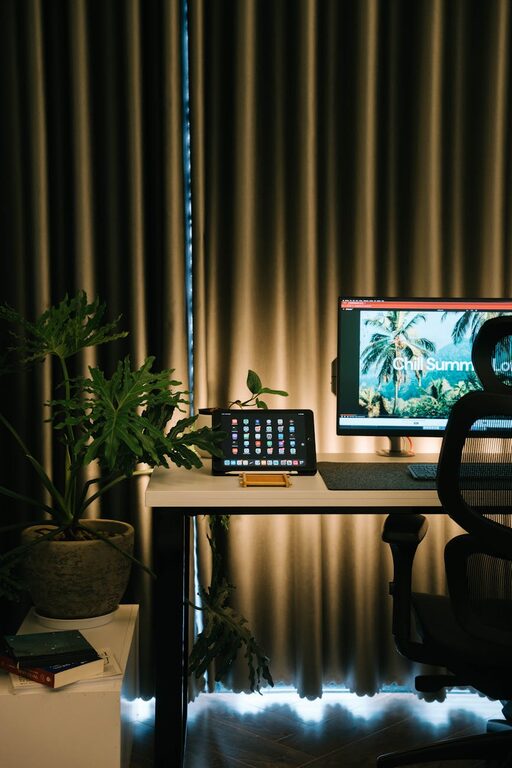
Creating a home workspace that is both relaxing and productive can greatly improve your work-from-home experience. Whether you are freelancing, studying, or simply managing day-to-day tasks, a well-designed environment helps you stay focused and reduces stress. This post offers practical tips to transform any space into a comfortable and efficient home workspace.
Selecting the ideal spot in your home is the first step. Consider these factors:
– Natural Light: A workspace near a window can boost your mood and help reduce eye strain.
– Quietness: Choose a spot that is relatively free from distractions and household noise.
– Space: Ensure there is enough room for your desk, chair, and any equipment or supplies you need.
– Ventilation: Good airflow keeps you alert and comfortable during long work hours.
Your furniture plays a crucial role in your physical wellbeing and productivity.
– Pick a desk that fits your space and suits your work style (standing desks can be a great option).
– Keep the surface tidy and clutter-free to maintain focus.
– Use an ergonomic chair that supports your back to prevent discomfort and posture issues.
– Adjust the height so your feet rest flat on the floor and your arms are at desk level.
Good lighting prevents eye strain and helps set a pleasant mood.
– Use a mix of natural and artificial light.
– Avoid glare on computer screens by positioning your monitor perpendicular to windows.
– Consider desk lamps with adjustable brightness for task lighting.
A tidy workspace reduces distractions and improves mental clarity.
– Use organisers, trays, and filing systems to keep papers and supplies in order.
– Only keep essentials on your desk.
– Develop a routine to clear your workspace daily.
Adding calming features can make your workspace feel inviting.
– Introduce plants which can improve air quality and add a natural touch.
– Use soft cushions or a footrest for added comfort.
– Consider calming colours for walls or decor, such as blues or greens.
Noise distractions can hinder focus, so try to manage your sound environment.
– Noise-cancelling headphones are useful if you can’t control external noise.
– Play soft instrumental music or white noise if it helps your concentration.
– Communicate with household members about your work hours and the need for quiet.
Clear boundaries help maintain a healthy balance.
– Set specific work hours and stick to them as much as possible.
– If possible, separate your workspace from living areas.
– Avoid work-related activities outside your set hours.
Adding personal touches can increase your motivation and enjoyment.
– Display photos, artwork, or motivational quotes that inspire you.
– Choose stationery or accessories that you like.
– Rotate decor occasionally to keep the space fresh.
Organise and streamline your work with helpful tech tools.
– Use cable management solutions to keep cords neat.
– Use productivity apps or timers to structure your work sessions.
– Ensure you have a reliable internet connection and updated hardware.
Your environment supports your habits, but good routines are essential.
– Take regular breaks to stretch and rest your eyes.
– Keep hydrated and eat healthily to maintain energy.
– Stand and move around periodically.
—
Creating a workspace that is both relaxing and productive takes some time and thought, but even small changes can make a big difference. Focus on comfort, organisation, lighting, and boundaries to craft an environment where you can thrive. Your home workspace should be a place that encourages creativity and efficiency while supporting your wellbeing.
